Level-aware
Built for N5–N3 learners
Designed around early and intermediate JLPT levels. Furigana shows up where you actually need it — not on every word you already know.
Browser extension · Free to install
The simplest way to read Japanese online. One click installs Hannari and adds furigana on top of every kanji — on any website.
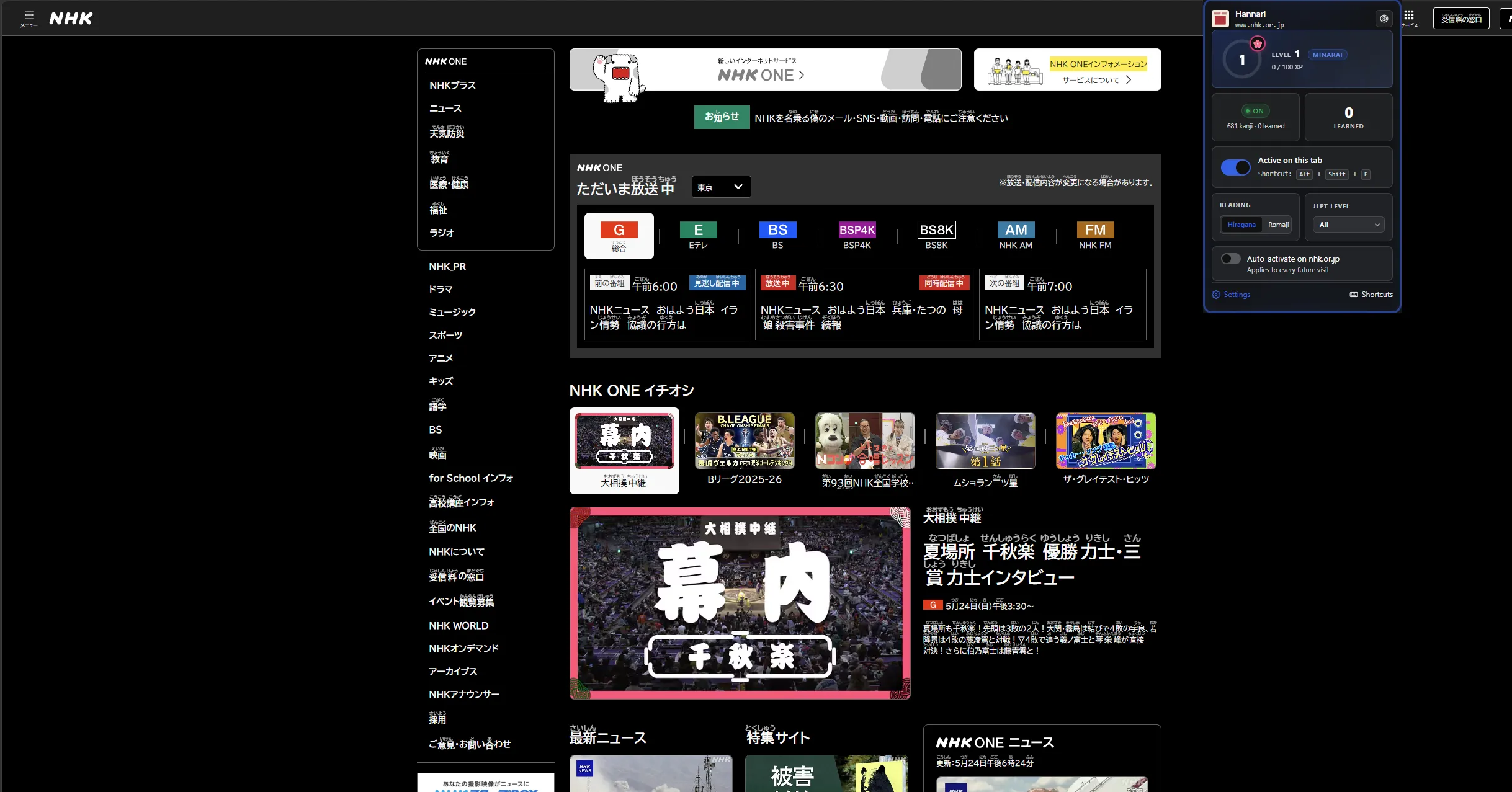
使い方
Install, activate, read. Zero configuration.
NHK, Yahoo News, Twitter/X, blogs — any page with Japanese text.
Only on kanji, respecting what the site already shows.
なぜハンナリ
Level-aware
Designed around early and intermediate JLPT levels. Furigana shows up where you actually need it — not on every word you already know.
No setup
Hannari works the moment you install it. No vocabulary lists to import, no plugins to wire up.
Tracks progress
Filter by JLPT level, mark kanji as learned, and watch furigana fade from your reading as your vocabulary grows.
Private
Hannari never sends what you read to a server. Your reading is yours — full stop.
料金
Free forever. Or pay once — no subscription, no recurring charges.
For everyday reading.
For serious learners.
Everything in Free, plus:
As you learn kanji, you level up and unlock new popup layouts and frames — 10 layouts and 12 frames to earn.

作者について
I started studying Japanese a few years ago and quickly hit the kanji wall. Every news article, blog post, and tweet turned into a research project — pause, copy, paste into a dictionary, lose the thread.
Existing tools were either too rigid (showing furigana on everything, including the kana I already knew) or asked me to configure dictionaries and pick word lists. I just wanted to read.
Hannari is what I wish I had when I started. If it helps even one other learner stop stalling mid-sentence, it's worth it.
よくある質問
Yomitan is a great dictionary tool — Hannari isn't trying to replace it. Yomitan asks you to configure dictionaries and click each word you want help with. Hannari is for moments when you want to read: turn it on and furigana just shows up where you need it. Different jobs.
No. Pro is a one-time payment for lifetime access. No monthly charges, ever.
Yes — any page with Japanese text. NHK, Yahoo News, Twitter/X, Reddit, blogs, and most in-browser e-readers.
No. Hannari processes everything inside your browser. We never send page content to a server. Your reading is yours.
Yes. Sign in to your Hannari account on any device and your settings, custom lists, and learned-kanji list load automatically. No device cap, no per-device licenses.
Pro is a one-time payment, so there's nothing to cancel. If you change your mind within 14 days, email us — we'll refund, no questions asked.
Mobile is in active planning. Anyone who buys Pro today will get mobile access included when it ships — no upgrade fee.
Hannari is free to install. Read your first Japanese article without breaking flow in under a minute.
Install free on Chrome